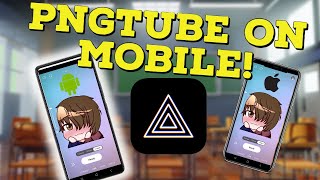
PNGTuber on Mobile Is Finally Possible
42sThe video opens by solving a long-requested question that PNGTubers have been asking for years, instantly hooking the viewer.
▶ Play Clip"Delivers on its promise with a clear step-by-step mobile PNGtubing setup; only minor subscribe filler prevents a perfect score."
The video explains how to become a PNGtuber on mobile using the Prism Live app. The host walks through downloading the app, setting up a custom avatar, configuring stream settings, and going live to platforms like Twitch, YouTube, and Facebook. It's a complete beginner-friendly guide for mobile streamers.
The host introduces the video, saying being a PNGtuber on mobile has been the most asked question with no real known solution until now.
Go to the App Store (iPhone) or Play Store (Android) and search for the app Prism Live.
Open Prism Live after installation; most users will want to log in with Twitch for easier streaming, and should allow all pop-ups.
Change the bottom camera tab to 'vtuber', click the gear icon on the right, and swipe all the way right to upload a custom avatar.
Click on each image that corresponds to each emotion; using PNG images is recommended so they have proper transparency.
A slider on the left adjusts microphone sensitivity; a button on the right under the gear icon lets you change the background.
Prism Live supports green screen, which is useful for services like Go Light Stream or for edited YouTube content.
Click the profile image gear icon to access stream destinations (YouTube, Facebook, etc.) plus video resolution and bit rate settings.
Swipe right to add widgets such as Prism Chat, RTMP video source, StreamElements web sources, titles, screensavers, clock timers, and social media.
You can add video playlists, music playlists, and play videos, photos, or music directly from your phone.
Press the ready button, select your destination, and you are live as a PNGtuber on mobile using Prism.
Prism Live provides an accessible, all-in-one mobile solution for PNGtubing, allowing streamers to set up an avatar, customize overlays and media, and broadcast to multiple platforms in minutes.
What is the name of the app used to be a PNGtuber on mobile?
Prism Live.
00:13
What format should avatar images be saved in for transparency?
PNG.
01:08
Which streaming platform is recommended for logging in during setup?
Twitch.
00:29
Which tab must you change to use a virtual avatar in Prism Live?
The camera tab should be changed to 'vtuber'.
00:43
How do you reach the custom avatar upload option?
Tap the gear icon on the right and swipe all the way to the right.
00:55
What widgets can be added in Prism Live?
Prism Chat, RTMP video source, web sources like StreamElements, titles, screensavers, clock timers, and social media.
02:09
Which platforms can you stream to besides Twitch?
YouTube, Facebook, and other sites.
01:53
What is the green screen feature useful for?
Using the avatar on websites like Go Light Stream or in edited YouTube content.
01:36
What media can be played directly from your phone in Prism Live?
Videos, photos, and music.
02:22
What other settings are found in the art profile image gear menu?
Stream destinations, video resolution, and bit rate.
01:53
Switch to VTuber mode
This is the core switch that enables using a custom PNG avatar in Prism Live.
00:43PNG transparency is essential
Using PNG format prevents background blocks and keeps the avatar clean on stream.
01:08Green screen expands use cases
The app's green screen support lets creators reuse the avatar in external streaming and editing tools.
01:36Built-in widgets enhance streams
Prism Live packs chat, timers, social media and web sources, replacing many separate streaming tools.
02:09Going live is a single tap
The host compresses the entire pipeline into a ready button, proving mobile PNGtubing is now approachable.
02:34[00:00] how to be a PNGtuber on mobile has been the most commonly asked question for the past few years and sadly there was no real known way of doing it until today links for everything that's talked
[00:13] about in today's video will be in the description down below the first thing we gotta do is head to the App Store on our iPhone or our Play Store on our Android device you then want to hit the like And subscribe button on this video so other YouTubers like yourself can find content just like
[00:29] this the next thing we want to do is search for an app called prism live once the app is downloaded and installed we want to open the app with the app open most of you are going to want to log in with twitch so it's easier for you to stream make sure you click allow on all the pop-ups that show
[00:43] up on the app in the bottom middle we want to change the camera tab to vtuber we then want to click on the gear icon on the right hand side and then swipe all the way to the right until we see
[00:55] the option to upload our own avatar now you can use the avatars that are provided by the app but I know most of you will have your own already you then want to click on each image that Associates
[01:08] to each emotion I do suggest that all your images are in a PNG format so it allows proper transparency now that our Avatar is set up let's check out some settings and features of the app
[01:21] on the left hand side of the screen we have a slider adjuster for our microphone so we can change the sensitivity of it on the right hand side of the screen underneath the gear icon we have a button that gives us the ability to change our background prism also gives us the ability
[01:36] to use a green screen which is fantastic if we want to use it on websites like go light stream or maybe edited YouTube content on the top right hand side if we click art profile image we can click on the gear icon and that will give us more options like stream destinations so
[01:53] we don't have to stream just to only twitch we can stream to YouTube Facebook and other sites we also have other settings like video resolution resolution and even bit rate but we are not quite done just yet if we swipe right we see that we have the ability to add widgets so prism
[02:09] chat rtmp video Source web sources like stream elements we also have the ability to add titles screensavers clock timers and even social media if we click cancel real quick to get rid of that
[02:22] you see we can also add video playlists music playlists and we have the ability to play with media itself so videos photos and playing music directly from our phone now that we're satisfied
[02:34] with all the settings and the setup all we got to do is hit the ready button select our destination and just like that we are now live as a PNG tuber on mobile using prism thank you so much to prism
[02:49] for making PNG tubing so easy on mobile this is fantastic software I highly suggest anybody and everybody to download the software right now and give it a try again I'm your V2 percent
[03:01] pie I stream here on YouTube every Friday 5 PM Pacific Standard time so come on by say hi let's talk about anime gaming V tubing whatever and well I'll catch you all the next one bye
⚡ Saved you 0h 03m reading this? Transcribe any YouTube video for free — no signup needed.