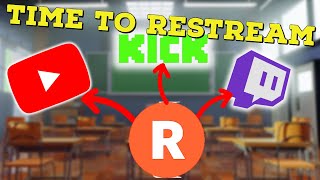
Multistream to Twitch, Kik & YouTube FREE
52sStreamers are desperate for free multistreaming solutions, and this shows the easiest way to get 2 platforms for $0.
▶ Play Clip"Delivers a workable step-by-step multistream setup with minimal filler, though the subscription plug and basic troubleshooting pad the runtime."
This video is a practical tutorial on how to set up multistreaming (broadcasting to multiple platforms at once) using Restream.io. It walks through creating a Restream account, adding Twitch and Kick as destinations, configuring OBS, and basic troubleshooting.
Restream lets streamers broadcast to multiple platforms like Twitch, Kick, YouTube, and Facebook at once, giving them a competitive edge in the crowded streaming space.
Create a Restream account and choose the free plan, which allows streaming to two different channels.
Click 'Add Destination', select Twitch, and authorize — Restream automatically grabs your stream keys.
For Kick, manually enter the Channel URL, RTMP URL, and stream key; copy these from Kick's settings and creative dashboard.
To remove a destination, click edit on the channel, then 'Auto remove destination' and save.
In OBS settings under Stream, set service to Restream.io and log in with credentials — the recommended method over pasting a custom RTMP URL.
The free version supports two platforms; upgrade if you need more channels or higher bandwidth, but test free first.
Fix connection problems by logging out and back in to the Restream service in OBS; refresh the scene cache if the chat dock doesn't populate.
With Restream's free tier, anyone can start multistreaming to two platforms immediately; upgrading becomes worthwhile if you need more destinations or higher bandwidth. The key is careful setup of stream keys and RTMP URLs.
What is the advantage of using Restream for streamers?
It lets you stream simultaneously to platforms like Twitch, Kick, YouTube and Facebook, setting you apart in a competitive streaming sphere.
00:03
How many channels can you stream to with Restream's free plan?
Two different channels.
00:31
What information does Kick require when adding it as a destination in Restream?
Channel URL, RTMP URL, and stream key.
00:56
Where do you find the RTMP URL and stream key for Kick?
In Kick's settings under 'stream key'; copy the stream URL and stream key from the creative dashboard.
01:11
What is the recommended way to connect OBS to Restream?
Choose 'restream.io' in the OBS service dropdown and enter your Restream credentials, rather than using a custom RTMP URL.
02:18
How do you fix a Restream chat dock in OBS that doesn't populate correctly?
Refresh the cache for each scene.
03:45
Multistreaming Advantage
Using Restream lets streamers broadcast to multiple platforms at once, increasing reach in a competitive space.
00:03Free Plan Supports Two Destinations
The free tier is enough to start multistreaming to two platforms, lowering the barrier to entry.
00:31Manual Platform Setup Requires Three Fields
For platforms without auto-authorization, you need Channel URL, RTMP URL, and stream key.
01:11Recommended OBS Integration Method
Selecting restream.io as the OBS service and logging in is more reliable than manually pasting RTMP credentials.
02:18Troubleshooting Connectivity and Chat Dock
Simple re-login and cache refresh fix most Restream connection and chat issues in OBS.
03:00[00:03] restream.io gives vtubers and streamers an amazing advantage over others we all know the streaming sphere is very competitive so streaming on platforms like twitch Kik YouTube and Facebook can set you apart from everyone else but
[00:17] how do you do it the first thing you gotta do is head over to restream.io an account once you get onto the to select your plan we're going to close that and we're gonna go with the free
[00:31] option which allows us to stream to two different channels on the bottom left hand side we're going to click on ADD destination and then we're going to click on our first platform I'm going to choose twitch and right away it's going
[00:43] to grab our stream Keys once we click authorize but not all platforms are like this and sometimes we have to enter our stream key manually so let's see how we do that for this next example we're going to use Kik so we're going to click
[00:56] click on ADD destinations and then we're gonna click on Kik as we see it's asking for channel url rtmp url and stream key to get our Channel URL all we're going to do is head over to Kik we're going to
[01:11] copy it from the top we're going to plop it in there to get our rmtp URL what we're going to do is go back to kick click on the top right hand side go down to settings we're gonna go to stream key and we're going to copy the stream URL
[01:26] we'll plop it in there we'll go to creative dashboard again we're going to copy our stream key and then plop it in there and then we're going to click on ADD Channel once you're done adding the channel what you want to do is hit
[01:39] subscribe on this YouTube channel and liking this video it really does help us out in the algorithm let's talk real quick about removing a channel and adding a new one back at our destinations to remove a Channel all we
[01:51] want to remove and click edit and then click Auto remove destination and then click save great now let's talk about adding this to OBS on restream's website
[02:03] all we need to do is click on setup for OBS Zoom Etc and then we're going to copy this rtmp URL and our stream key here on OBS all we got to do is click on the settings button click on the stream tab we're going to change our service
[02:18] from YouTube twitch to custom we're going to pop in our rmtp URL into here key and pop it into here or the best method is we're going to click on service and we're going to click on restream.io and
[02:33] account which is recommended enter in all of our credentials and that is honestly the better way of doing things and just like that you're all done and ready to go you're set up for re-streaming stick around if you want
[02:47] some more tips in the beginning of the video I did mention using the free version of restream if you do want to stream to more than just two platforms or you want higher bandwidth please feel free to buy the higher end version but I
[03:00] do suggest trying the free version first see if you like it and then upgrade from there some troubleshooting tips in OBS sometimes restream doesn't connect properly so you might have to go back into the settings go back to where
[03:14] the stream key is disconnect and re-log in to the restream service in to the restream service sometimes in OBS your restream docs that appear when you log in sometimes vanish again you might have to log out and log
[03:30] back in to get them back or click on docs at the top of OBS and re-enable the docs at the top of OBS and re-enable the restream docs sometimes your restream chat dock doesn't work or populate correctly to fix this all you need to do
[03:45] is refresh the cache for each scene and it should repopulate again again I'm your YouTuber Senpai I stream here on YouTube every Friday at 5 PM PST so come
[03:57] on by say hi let's talk about anime gaming v-tubing whatever and well I'll gaming v-tubing whatever and well I'll catch you on the next one bye


⚡ Saved you 0h 04m reading this? Transcribe any YouTube video for free — no signup needed.