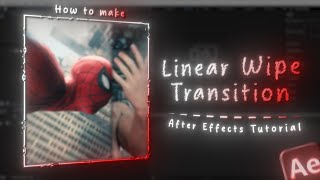

Create a Line Swipe Animation in After Effects
60sQuick visual tutorial showing step-by-step creation of a popular motion graphic effect.
▶ Play Clip"The title promises a tutorial, but the transcript is extremely sparse, offering minimal guidance beyond basic steps."
This tutorial demonstrates how to create a line swipe animation in Adobe After Effects, focusing on using masks and keyframes to achieve a clean, professional transition effect.
Start by making a white rectangle as the foundation for the line swipe effect.
Create a keyframe and move the mask to animate the line swipe across the screen.
By following these simple steps, you can quickly create a line swipe animation in After Effects, a versatile technique for transitions and motion graphics.
What is the first step to create a line swipe animation in After Effects?
Make a white rectangle.
00:10
What technique is used to animate the line swipe?
Creating a keyframe and moving the mask.
01:23
White Rectangle as Base
Establishes the fundamental element for the animation, which is essential for any motion graphics project.
00:10Mask Keyframing
Demonstrates the core animation principle of using keyframes to control mask movement, a key skill in After Effects.
01:23⚡ Saved you 0h 01m reading this? Transcribe any YouTube video for free — no signup needed.