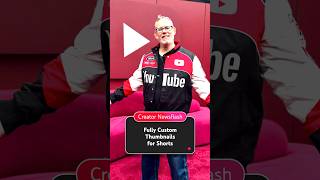

New: Custom Thumbnails for Shorts!
40sThis announces a highly requested feature that creators have been waiting for, making it instantly engaging.
▶ Play Clip"Title delivers exactly what the video covers — a clear announcement and tutorial for the new feature."
YouTube is rolling out the ability for creators to upload fully custom thumbnails for Shorts on desktop, a feature long requested by the community. Rene Ritchie explains how to use it, the ideal aspect ratio, and current limitations.
When uploading a Short on desktop, you can now add a fully custom thumbnail as part of the upload flow.
Open YouTube Studio on desktop, go to Content > Shorts, click the pencil icon, then under thumbnail section upload your custom file and save.
If you don't want a custom thumbnail, you can pick between three suggested thumbnails on desktop, similar to long-form videos. On mobile you can still select a frame.
Shorts are 9:16, but the thumbnail sweet spot across devices and presentations is closer to 3:2. Keep important content away from edges.
Currently only available for channels in the YouTube Partner Program (YPP). Access will expand over time.
Originally, Shorts were intended as low-lift content, and most views happen in the feed without thumbnails. But creators wanted custom thumbnails for branding on the homepage and channel page.
YouTube has finally added fully custom thumbnails for Shorts on desktop, addressing a key creator request for better branding and presentation.
How can you add a custom thumbnail to an existing Short on desktop?
Open YouTube Studio, go to Content > Shorts, click the pencil icon, then upload a custom thumbnail under the Thumbnail section and save.
00:16
What is the recommended aspect ratio for Shorts thumbnails?
The sweet spot is 3:2, even though Shorts videos are 9:16.
00:56
Who currently has access to fully custom Shorts thumbnails?
Only channels in the YouTube Partner Program (YPP), but access will expand over time.
01:09
Why did YouTube initially not offer custom thumbnails for Shorts?
Because Shorts were intended as low-lift content, and most views happen in the feed without thumbnails.
01:35
New Feature Announcement
First time YouTube officially announces fully custom thumbnails for Shorts on desktop.
00:02Aspect Ratio Guidance
Important technical detail for creators to optimize thumbnail display across devices.
00:56YPP Restriction
Clarifies current eligibility, managing creator expectations.
01:09Reason for Delay
Explains YouTube's original philosophy vs. creator needs, showing platform evolution.
01:23[00:02] Can I get a finally and a W in the comments? Hello Insiders, I'm Rene Ritchie, a long-time creator now working at YouTube, and here's what's up. can add a fully custom thumbnail to a new Short as part of the upload flow on
[00:16] desktop. Or to add a custom thumbnail to an existing Short, open YouTube Studio on desktop, go to the content tab, select Shorts, click the details, the pencil icon, next to the Short you want to edit. Under the thumbnail section,
[00:28] click to upload your custom thumbnail, pick your file, and hit save. And if you thumbnail, but you do want to select a different thumbnail on desktop, you would now pick between one of three suggested thumbnails for your Short the
[00:42] same way you've previously been able to do for your long-form on desktop. And if frame, you can still do that on mobile. A few things for creators to keep in mind. While the aspect ratio for Shorts is 9x16, the sweet spot for Shorts
[00:56] thumbnails across devices and presentations is closer to 3x2. So, keep anything important just away from the edges. Also, fully custom channels in the YouTube Partner Program. YouTube will be expanding access over
[01:09] time though, so stay tuned for future updates. And yeah, there's no AB testing for Shorts thumbnails, at least for now, and it's desktop only, also at least for mobile, and you still want a fully custom thumbnail, you just have to go to
[01:23] the desktop and add it in at any point later. My, how the tables have turned. Why did this take so long? Well, at first, Shorts were intended to be low-lift, a way to allow the next generation of creators to get on YouTube
[01:35] the way a bunch of us OGs did back in the day when horizontal videos weren't Also, most Shorts are viewed in the Shorts feed most of the time when there are no thumbnails. But, more and more recently, creators have been telling
[01:49] YouTube that the way Shorts look on the homepage, and maybe most importantly, on the home and Shorts tab of the channel page to brands is really important and there really should be a way to set a fully custom thumbnail. So, now there
[02:04] questions in the comments and keep it real.

⚡ Saved you 0h 02m reading this? Transcribe any YouTube video for free — no signup needed.