
Free update makes $100 mic a beast
45sViewers love hearing about free upgrades that dramatically improve budget gear.
▶ Play Clip"Title is accurate: the NT-USB MINI with the new software update is indeed a top contender for best streaming mic under $100."
The RØDE NT-USB MINI, a popular budget microphone for streamers, received a major free software update called RØDE Connect. This app allows mixing multiple audio sources (mic, game, chat) and routing them to streaming software, elevating the microphone's capabilities. The video reviews the update, compares it to Elgato's Wave Link, and provides a setup tutorial.
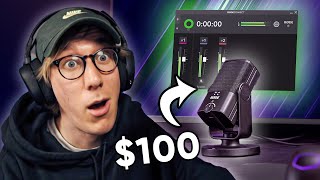
Condenser microphone with cardioid pickup pattern, built-in pop filter, includes desk mount or can attach to a mic arm, costs just shy of $100.
New free application for Windows and Mac that allows mixing all audio sources (mic, game, Discord) and handles routing to send one audio source to streaming software.
RØDE Connect supports up to four separate microphones on a single computer, while Wave Link currently supports only one. This is a big advantage for multi-person streams or podcasts.
RØDE Connect includes noise gate, compressor, big bottom effect, and aural exciter. Wave Link does not support adding filters to voice, requiring VST plugins in streaming software.
Wave Link allows recording nine separate channels (mic + eight others), while RØDE Connect currently supports three channels (mic, system sounds, chat). The reviewer expects RØDE to increase channels over time.
Download RØDE Connect from website, install, connect microphone, update firmware if needed. Drag microphone into one of four channels, assign system and virtual devices for system sounds and chat.
In the app, three faders for mic, system sounds, and chat. Clicking the channel provides gain control, noise gate, compressor, and Aphex effects (aural exciter, big bottom).
Set Windows output device to 'System Output RØDE Connect' so all PC sounds go through the system channel.
In Discord settings, set input device to 'Virtual Input RØDE Connect' and output device to 'Virtual Output RØDE Connect' to route Discord audio through the virtual channel.
In OBS Studio settings > Audio, set Mic/Auxiliary Audio to 'Stream Input RØDE Connect' to receive the mixed audio as a single input.
Reviewer demonstrates microphone with and without effects. Recommends using a boom arm instead of the included desk mount to get the mic closer to the mouth.
Effects are limited to checkboxes without extra controls; reviewer desires adjustable threshold for gate/compressor, keyboard shortcuts for muting, and more channels. Hopes for future USB versions of broadcast mics like Procaster.
The RØDE NT-USB MINI, combined with the free RØDE Connect software, becomes a compelling option for streamers under $100, offering multi-mic support and built-in audio effects. While it has some limitations compared to Elgato's Wave Link, its potential for future updates makes it a strong contender.
What is the pickup pattern of the RØDE NT-USB MINI?
Cardioid
00:25
How many microphones does RØDE Connect support on a single computer?
Up to four
01:13
What are the three audio channels available in RØDE Connect?
Microphone, system sounds, and chat application
02:03
Which effects are included in RØDE Connect for the microphone?
Noise gate, compressor, big bottom effect, and aural exciter
01:33
How many separate channels can Elgato Wave Link record?
Nine (mic plus eight others)
01:51
What device should be selected as the output device in Windows to route system sounds through RØDE Connect?
System Output RØDE Connect
04:30
In Discord, which input and output devices should be selected to use RØDE Connect?
Input: Virtual Input RØDE Connect; Output: Virtual Output RØDE Connect
04:50
What setting in OBS Studio should be set to 'Stream Input RØDE Connect'?
Mic/Auxiliary Audio
05:24
RØDE Connect App Release
This free software update transforms the NT-USB MINI's capabilities, making it competitive with higher-end solutions.
00:35Multi-Microphone Support
Support for up to four USB microphones on one PC is a significant advantage over competitors like Elgato Wave Link.
01:13Built-in Audio Effects
Including noise gate, compressor, and Aphex effects directly in the software simplifies audio processing for streamers.
01:33Desire for More Control
The reviewer highlights the limitation of checkbox-only effects and wishes for adjustable parameters, indicating room for improvement.
06:31[00:00] - This microphone, the RØDE NT-USB MINI
[00:03] has always been a popular
[00:05] looking for a high quality microphone
[00:07] that won't break the bank.
[00:08] But last night, this got a
[00:11] that might just make this
[00:13] under $100.
[00:15] Let's take a look.
[00:16] (upbeat music)
[00:20] So, the NT-USB MINI has been around
[00:22] for a couple of years now.
[00:24] It's a condenser microphone
[00:25] with a cardioid pickup pattern
[00:27] and a built in pop filter.
[00:28] It comes with an included desk mount
[00:30] or it could be attached to a Mic cam
[00:32] and it comes in at just shy of $100.
[00:34] So what's changed then?
[00:35] Well, yesterday, RØDE
[00:38] for windows and Mac
[00:40] which completely elevates this
[00:43] What it allows you to do
[00:44] is to mix all of your
[00:46] So your microphone, your game audio,
[00:48] and your discord chat
[00:49] and then it handles
[00:51] so you can send just one audio source
[00:53] to your streaming software
[00:54] and can control a mix.
[00:55] All of your audio from one place.
[00:57] It also doubles as software
[00:59] that you can use to record podcasts
[01:00] with separate channels
[01:02] But I'm going to focus here on
[01:05] Now, those of you that
[01:07] might recognize this software
[01:09] as something that closely
[01:11] and you're not wrong,
[01:12] but there are some key differences.
[01:13] Firstly, road connect supports up to
[01:16] four separate microphones
[01:18] whereas Wave Link currently
[01:21] This is obviously a big advantage
[01:23] if you're doing a two
[01:26] or if you ever want to have
[01:28] Being able to control four
[01:30] from a single computer
[01:32] is something that used to cause issues.
[01:33] RØDE Connect also allows you to
[01:35] add some filters and
[01:37] such as the noise gate, compressor,
[01:39] big bottom effect and an oral exciter.
[01:42] And those can really enhance
[01:44] Currently Elgato's Wave Link,
[01:46] doesn't support adding
[01:48] So you have to do this
[01:50] and adding some VST plugins.
[01:51] But one area where Wave Link wins out
[01:54] is it allows you to record
[01:56] consisting of your
[01:59] Effectively allowing you find a control
[02:01] over more audio sources.
[02:03] Whereas RØDE Connect currently supports
[02:04] three separate channels
[02:05] consisting of your
[02:08] and your chat application.
[02:09] I don't see any reason
[02:10] why RØDE won't be able to
[02:12] so that you can have more channels
[02:14] and more control over
[02:16] because it's just about them
[02:19] on your computer.
[02:20] So, let's test out the
[02:24] and get it set up with OBS Studio
[02:25] so we can see exactly how it sounds
[02:27] and what kind of control you get
[02:28] for your live streams.
[02:29] Okay. So the first thing you need to do
[02:31] is head to the RØDE website
[02:33] I'll leave a link down
[02:36] RØDE do require you to
[02:38] between windows and
[02:40] but you won't be included
[02:42] as long as you don't check the boxes.
[02:44] So it's just for software updates.
[02:46] Once that's downloaded,
[02:47] unzip the file and just
[02:50] by going through the wizard.
[02:52] Once that's finished installing,
[02:53] launch the RØDE Connect app
[02:55] and then you can connect the NT-USB MINI
[02:57] to the computer with the USB cable.
[02:59] Once you're connected,
[03:01] You can see here that my NT-USB MINI
[03:03] requires a firmware update.
[03:05] So I'm just going to do that now.
[03:06] And if you have the same,
[03:09] so you can get the best functionality
[03:10] out of the NT-USB MINI with RØDE Connect.
[03:13] Now that the firmware update is complete,
[03:15] we can drag our NT-USB MINI
[03:17] into any of the four channels here.
[03:19] So I'm going to drag it into channel one.
[03:21] And as you can see here,
[03:22] you can plug in four
[03:25] into a single computer
[03:26] and still use all the
[03:28] But for me, it's just one microphone.
[03:30] So drag it into one and then click next.
[03:32] Next we can drag our
[03:35] into these available channels.
[03:36] These are effectively going
[03:39] So all the sounds coming
[03:41] and our virtual device is going
[03:44] So something like discord
[03:46] Okay. So here we are
[03:48] and you can see we have
[03:50] One for our microphone,
[03:51] one for our system sounds
[03:53] and one for our chat application.
[03:55] First of all though,
[03:56] let's look at what controls
[03:58] So by clicking on the channel,
[03:59] we bring up some options
[04:02] such as the gain of the microphones.
[04:03] So we want to end up in
[04:05] as well as options to enable
[04:08] that run on the digital signal processor
[04:10] built into the microphone.
[04:11] You also get some options here
[04:12] to enable the Aphex Aural
[04:16] These are effects that are typically found
[04:17] on much more expensive interfaces,
[04:19] things like the Rode caster pro
[04:21] you can enable them here
[04:22] to enhance the sound of your voice.
[04:25] So next let's make sure that
[04:26] we set up our system sounds
[04:28] to be running through this system channel.
[04:30] So on windows, you need to head
[04:33] which you can get to
[04:35] and just make sure your output device here
[04:37] is set to system output RØDE Connect.
[04:39] What this effectively means is that
[04:41] now any sounds that happen on your PC
[04:43] are going to be coming
[04:45] The only thing that we're
[04:47] is our team chat into
[04:50] So to get discord audio
[04:51] to come through this virtual device here
[04:53] we want to open up discord,
[04:54] go to user settings, voice and video,
[04:57] and we want to set our input device
[04:59] to be virtual input RØDE Connect
[05:01] and our output device to be
[05:04] So find these two devices,
[05:06] make sure they're set up in discord,
[05:07] and then you can close back out of discord
[05:09] and all of your discord audio now
[05:11] is going to be coming
[05:13] So the last thing that we need to do
[05:14] is actually set up our streaming software
[05:16] to take this mix of
[05:19] and make sure that our stream can hear it.
[05:21] So open up your streaming
[05:22] For me that's OBS Studio,
[05:24] go to settings and then audio tab
[05:26] and make sure that we set
[05:29] to stream input RØDE Connect.
[05:32] So make sure you have this one selected,
[05:33] add that as the audio source,
[05:35] and you can see here my microphone
[05:36] but also my discord chat
[05:39] my game sound will be coming
[05:42] And if you need to make any
[05:45] you can do that from the RØDE Connect app.
[05:46] This is where you're going to control
[05:47] all aspects of your audio.
[05:48] So your teammates, your system sounds,
[05:50] your game sound, your microphone,
[05:52] all controlled in RØDE Connect.
[05:53] And then OBS is just
[05:56] and sending it out to your stream.
[05:57] Okay. So I've swapped the audio over
[05:58] now from the shotgun
[06:01] to the $100 NT-USB.
[06:03] So you can hear exactly how it sounds.
[06:05] One thing I would recommend
[06:06] like I do with all microphones is
[06:07] not to use the included desk mounts
[06:09] because they just make the microphone
[06:10] too far away from your mouth
[06:12] and much closer to your keyboard sounds
[06:13] get it up on a boom arm,
[06:16] or even just a cheap Amazon alternative
[06:18] and get that microphone
[06:20] As you can see here in
[06:22] I have all of the options enabled
[06:24] and my game's set to around 25.
[06:26] If I disable these effects.
[06:27] So this is how my microphone sounds
[06:29] without any of the effects enabled.
[06:31] I'm going to enable them again.
[06:32] I do think it's a little bit limiting
[06:34] that these are just check boxes
[06:35] and you have no extra controls.
[06:37] I guess it's a little bit
[06:39] that you can just enable a
[06:41] But, personally, the know that I am,
[06:43] I would love to dive in and be able to
[06:45] adjust the threshold of the
[06:48] and things like that.
[06:49] I would also love if RØDE
[06:51] built in functionality to be able to mute
[06:53] and change volumes of sources
[06:54] into something like the Stream Deck.
[06:55] I realized, that's probably
[06:58] because effectively RØDE
[07:01] and they built a very similar
[07:03] So it's probably a bit of a pipe dream
[07:05] but at least if RØDE could
[07:07] keyboard shortcuts to at
[07:10] that would be really
[07:11] I'm excited to see where this app goes.
[07:13] I said before, I'd love for
[07:16] That's a bit more competitive
[07:18] but the fact that you can
[07:21] in one PC is really great.
[07:22] And I'd love to see, is RØDE
[07:25] that Shure has done with the MV7
[07:27] and turn some of their
[07:30] like the RØDE Procaster
[07:32] into USB alternatives that
[07:36] Hopefully this video has been helpful.
[07:37] If it has to, give it a thumbs up
[07:39] and let me know down in the comments,
[07:40] what do you think of the $100
[07:42] or sub $100 NT-USB MINI
[07:45] now that the RØDE Connect app
[07:47] allows loads more control
[07:49] I'd love to hear your thoughts
[07:50] and I'll catch you in the next video.
[07:52] Peace.
[07:52] (upbeat music)
[07:58] Jimmy Fallon has the budget
[07:59] and the ability to hire a
[08:03] (chuckles)
[08:04] If he reached out to me,
[08:05] I'd do him a deal.
[08:06] I told you about this last week,
[08:08] 10 grand and I'll help you serve OBS.
[08:10] It's easy.
[08:11] - Jimmy come on, we've got
[08:13] - I mean, come on Jimmy, just hit me up.
[08:15] I'm only a Google away.
⚡ Saved you 0h 08m reading this? Transcribe any YouTube video for free — no signup needed.